
SolidWorks 2011:  What’s New Highlights
Wed, 09/1/10 – 7:00 AM | View Comments

DS SolidWorks Corporation today unveiled SolidWorks 2011, the latest release of the most popular 3D CAD software on the market. There are many new features to talk about, but today I’m going to hit …

Read the full story »
SolidWorks News

SolidWorks Reviews

SolidWorks Tips

SolidWorks Video Tips

SolidWorks World

Home » SolidWorks News, SolidWorks Tips

SolidWorks Help in your Browser!

Submitted by Ricky Jordan on Wednesday, October 28, 2009View Comments

SWHelpOnline

As reported here a few months back, SolidWorks 2010 introduced an option for Online Help.  The Online Help has some enhanced search features which includes sorting by subject and links to the Knowledge Base.  In addition to that, because it is web based, it is guaranteed to always be up to date.

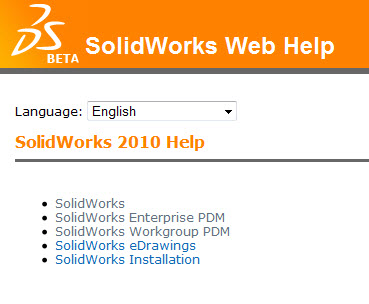
Here is something new that you may not know.  SolidWorks Help is available via your favorite Internet Browser! Just go to http://help.solidworks.com and you are off and running.  (Note that you need to Click on “SolidWorks” to access the SolidWorks Help.)  There are no logins or registrations necessary!  Help files for SolidWorks Enterprise PDM, SolidWorks Workgroup PDM, SolidWorks eDrawings, & SolidWorks installation are also available.  Having the help available online all the time and accessible outside of the SolidWorks application will be a great benefit to users around the world.  The online help is currently available in 12 languages.

Something else to look out for is the “Feedback on this topic” link at the top right side of every page.  This is a great way to give instant feedback about the Online Help content to the SolidWorks Documentation team.

SWHelpFeedback

Stay tuned…more to come!!

Share and Enjoy:
  • StumbleUpon
  • Digg
  • Technorati
  • del.icio.us
  • Facebook
  • LinkedIn
  • email
  • Google Bookmarks
  • FriendFeed

No related posts.

Related posts brought to you by Yet Another Related Posts Plugin.

  • hey the feedback submission works..... thanks
  • Don't use Safari to surf the help web site. There is a lot missing from the page and you'll probably just be frustrated by the lack on info, like I was. FireFox and Chrome look to be much better.
  • Thanks for the heads up on opening in Safari. That is the kind of thing you could use the "Feedback on this topic" link for. :-)

    Ricky
  • I just tried that, but apparently the server is down. The Feedback gave me a server error in FireFox, Chrome, and IE.
  • Try the "Feedback on this topic" link again. SolidWorks told me they found an issue and have corrected it. Let me know how it goes for you.

    Ricky
  • The feedback submission process worked this morning. No server errors this time.
  • I passed along your comments to SolidWorks and they are looking into it.

    Ricky
blog comments powered by Disqus