
SolidWorks 2010:  Awesome Tables!
Sun, 02/21/10 – 11:55 PM | Comments

Sometimes when testing newer versions of Software you discover some “unreported” enhancements that really can be a time saver.  That type of enhancement is the source of this post, but first we’ll take an overall …

Read the full story »
SolidWorks News

SolidWorks Reviews

SolidWorks Tips

SolidWorks Video Tips

SolidWorks World

Home » SolidWorks News, SolidWorks Video Tips

SolidWorks 2010: Drawing Dimension Enhancements

Submitted by Ricky Jordan on Sunday, August 30, 2009Comments

sw2010_drawingdims1

As I said in my first post on SolidWorks 2010, Drawings received A LOT of enhancements!  Today we are going to take a look at a few of them that relate to dimensioning.

Rapid Dimension is a new option that allows for quick placement of dimensions in Drawings.  As soon as you select a edge (or two points) you immediately see a divided circle.  For example, if you attempt to place a horizontal dimension, a divided circle appears which has a top and bottom section (each being displayed with different colors).  If you select the “top” of the circle, the dimension is automatically placed at the top of the view.  If you select the “bottom” of the circle, the dimension is automatically placed at the bottom of the view.  SolidWorks intelligently places the dimensions utilizing the dimension spacing settings in the Document Properties.  Rapid Dimension will also MOVE existing dimensions so that spacing settings are not violated.  The dimensions are still completely adjustable so that you have the freedom to position them as you please.

sw2010_rapiddim

The Dimension Palette is another enhancement that is sure to be a hit with users.  The Dimension Palette is a pop-up dialog that appears near the mouse cursor when a dimension is selected.  It allows the user to change common dimension properties right in the graphics area without having to make the changes through the PropertyManager.  Using this tool will result in less mouse movement and allow the user to focus solely on the graphics area when setting up dimensions in a Drawing.  The following adjustments can be made a dimension using the Dimension Palette tool.

  • Tolerance Type
  • Unit Precision
  • Tolerance Precision
  • Apply Styles
  • Add text to the Left, Right, Top, & Bottom of the Dimension
  • Add Parenthesis
  • Center Dimension
  • Inspection Dimension
  • Offset Text
  • Horizontal & Vertical Justification

sw2010_dimpalette

Also new in relation to Dimensions is improved behavior for Center Marks in Drawings.  You can now place Center Marks on holes or arcs already dimensioned and the extension lines of the dimensions trim back to the Document Property spacing setting in relation to the Center Mark.  Another caveat to this enhancement is that you can now delete the Center Mark and the dimensions will no longer be left in a dangling state.  In previous versions you would commonly place Center Marks first and then dimension to them in order to get the proper spacing to the Center Mark for the dimension extension lines.  The problem was that if you delete the Center Mark, the dimensions were left dangling.  SolidWorks 2010 will allow you to dimension first, and place the Center Marks later with no negative effects.

sw2010_centermark

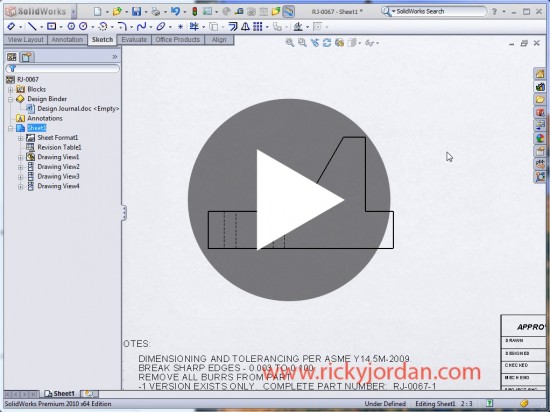
Click on the image below to watch a short VIDEO demonstrating these new enhancements.
sw2010_drawingdimvideolink

Stay tuned….much more to come on SolidWorks 2010!

Share and Enjoy:
  • StumbleUpon
  • Digg
  • Technorati
  • del.icio.us
  • Facebook
  • LinkedIn
  • email
  • Google Bookmarks
  • FriendFeed

Related posts:

  1. SolidWorks 2010 Enhancement Highlights Well folks, it’s now officially August 24, 2009 and...
  2. SolidWorks 2010: Hole Wizard! It’s been a while since I have had a...
  3. SolidWorks 2010: Multibody Materials Way back in late 2002, SolidWorks users received what...
  4. SolidWorks 2010: Awesome Tables! Sometimes when testing newer versions of Software you discover...
  5. SolidWorks 2011 Sneak Peek One of the things that attendees look forward to...

Related posts brought to you by Yet Another Related Posts Plugin.

  • In many ways, SolidWorks 2010 reminds me of the "duck-pond syndrome." Everything seems calm and quiet on the surface, but there's a lot of powerful paddling going on below the waterline.
  • Your dimensions and things are really good
  • Jason Stats
    Thanks Ricky! Great post! Those dimensioning enhancements look good, especially the dimension pallete. One thing I really like about it is the ablility to easily place text in front of the dimension. It has been such a pain all of these years to have to precisely pick the area in front of the <DIM> in order to place text in front of it. Way too tedious.

    Did they fix the way the centermarks size? From the first releases up to around 2001 Plus, the centermarks would always stay the same size in relation to the DRAWING reguardless of what scale the model was on the sheet. Since then, the centermarks have scaled in size in relation to the scale of the model which is not correct. For instance, if your drawing template has your centermark size set to a default of .125" and your part is scaled at 1:1 on the sheet, then your centermarks will actually show the correct size of .125". But if your part is smaller and needs to be scaled to 4:1 on the sheet, then your centermarks will show as .5" in relation to your drawing and you have to change your default. If you create a detail view of 10:1, your centermarks in your detail view will be 10 times larger than they should, so you have to manually change each centermark to look correct. This has been such a pain especially if you have drawings with multiple parts of varying sizes. A long time ago when I used to do drawings by hand, you would never change the centermark size from one view to the next. Keep in mind here that I'm talking about the Mark size, not the extended lines.
  • Hi Jason,

    I ran a little short on time to check this out, but I assure you I will investigate this and let you know what I find out. When I do, I'll leave a reply.

    Thanks for reading!

    Ricky
  • Steve_Calvert
    Rick, that's cool and it will be used a lot but I've been taught that I'm suppose to use my model dimensions in the drawing. How does it work if you have mostly model dimensions and then add a few other generic dimensions? Does the sapcing still make all the previously model dimeneions move as well?

    great job,
  • Hi Steve,

    Great points. I'll check it out and reply back here soon.

    Ricky
  • Gr8 job buddy. Keep going.
blog comments powered by Disqus