
SolidWorks World 2012 Top Ten List
Sat, 01/7/12 – 9:43 AM | 2 Comments

The SolidWorks World 2012 Top Ten List candidates are posted.  You can log in to the SolidWorks Forums (link provided above – click the picture) and vote your favorite ideas up or down.  Idea submission …

Read the full story »
SolidWorks News

SolidWorks Reviews

SolidWorks Tips

SolidWorks Video Tips

SolidWorks World

Home » SolidWorks Reviews, SolidWorks Video Tips

SolidWorks 2009 SP2!

Submitted by on Monday, January 19, 200913 Comments

Well, Friday night just happened to be the perfect time for me to upgrade our seats at work to SolidWorks 2009 SP2.  Overall things went smoothly and I was on my way home in time for some awesome pot roast served up by my multi-talented wife.

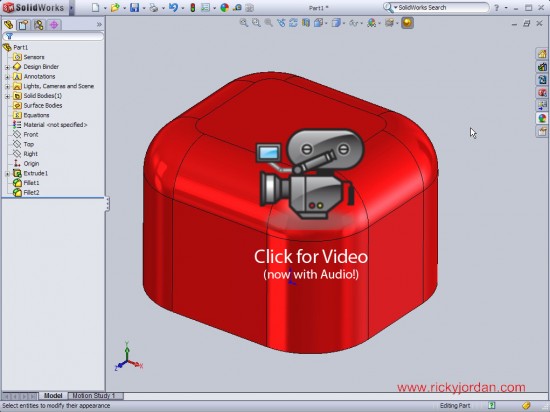
So what’s new in SolidWorks 2009 SP2?  Well, thanks to a head’s up from Lou Gallo and the guys at DDi, I heard about a new selection option that makes its debut in SolidWorks.  You now have the ability to select “Connected Faces”.  The option is available in the Right Mouse Button menu and presents the user with a flyout toolbar that offers multiple selection options for the surrounding faces of the selected face.  Also new is the ability to publish models directly to 3Dvia.com.  The option is available in the pull down menu under File.

Here’s a quick video showing off the new features!
sw2009_sp2

Stay tuned….more to come!

UPDATE – 2-28-09:  It looks like there is EVEN BIGGER NEWS when it comes to SolidWorks 2009 SP2.0.  Click HERE to see some new options in Renaming Configurations!!

Related posts:

  1. SolidWorks 2009: Goodbye Colors. Hello Appearances!
  2. SolidWorks 2009: Weldments
  3. SolidWorks Video Tip: 2009 Materials Database
  4. SolidWorks Video Tip: 2009 Numeric Sketch Input
  5. SolidWorks 2009: Split Feature

  • Richard Williams

    Well Done Ricky. Good information and right to the point. Thanks.

  • http://www.rickyjordan.com Ricky Jordan

    Glad you liked it! :-)

    Ricky

  • http://www.sunglassesuk.com/Oakley_Goggles.asp Oakley Goggles

    Great job Ricky.. This will be very useful..

  • http://www.sunglassesuk.com/Oakley_Goggles.asp Oakley Goggles

    Great job Ricky.. This will be very useful..

  • http://www.instrumentals.bizz.cc richardz315

    thank you for sharing this

  • http://games.m7shsh.com/cat-42-p1.html العاب سيارات

    I have always enjoyed comments, but sometimes I felt like I was lacking something to encourage more folks to leave comment http://www.m7shsh.com

  • http://gadgettechblog.com/ Gadget_Blog

    This is cool, thanks for the share, I appreciate it big time, thanks once again.
    Cheers,
    sain-web.com

  • http://www.youniquesoftlab.pl Projektowanie Stron Warszawa

    Well Done Ricky. Good information and right to the point. Thanks.

  • http://www.marshvorspan.com/ Remodeling Austin

    Many architects now a days are using this software in designing the house projects they are doing, well I think and as i see the result it is really effective

  • http://penoblok.com.ua/ Garyn Finsher

    Thanks a lot! Amazing Post!

  • Andrew Troup

    The ability to rename part configurations while they're being referenced by an open assembly or drawing is indeed especially handy for the default configuration, which many of us forget to give a meaningful name until we come to create alternative configs, which is typically after we've created an assembly.

  • http://www.computerrepairhongkong.com PC

    Great job. It’s very help and concise. Thanks

  • http://www.dealsourcedirect.com/gps-gps-devices.html GPS Navigation

    Thanks for the share, I have been readin online all day and this was actully worth reading. Thanks