
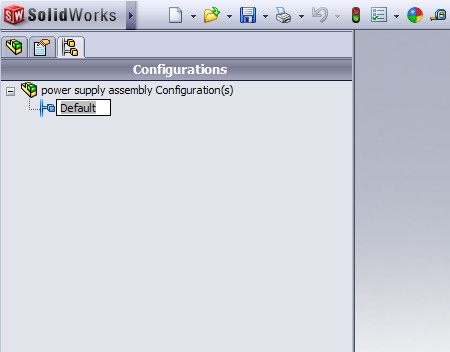
Well, it looks like SolidWorks slipped a little “enhancement” in on us. While I’m not completely sure when this new feature was added, all indications point to SolidWorks 2009 Service Pack 2.0. So what is this enhancement and WHY is it BIG NEWS? I’ll be MORE than happy to answer that for you!
We will start with what the enhancement is first. It APPEARS that you can now RENAME configurations while they are referenced in another open document in SolidWorks. For example, lets say you have a part open in SolidWorks that has a configuration named “Default”. You also have an assembly open that contains this part and is referencing the “Default” configuration of that part. In previous versions, you could NOT go into the part and rename the “Default” configuration if another document that references it was open. That limitation now appears to be removed. So far I have tested it with Assemblies AND Drawings of a part open and you can now rename ANY configuration at any time! In previous versions you had to close the referencing documents before you could rename the part configurations. This also works for Assembly configurations that are referenced by open documents (Upper Level Assembly or Drawings). When you rename a part or assembly configuration that is referenced elsewhere, you receive a warning message that indicates the configuration name of that component has changed. I’ve posted an image of the warning dialog below. It essentially is the same warning dialog that you saw in previous versions when you renamed a configuration with the referenced documents CLOSED. The warning message would appear the next time you opening the referencing document.

I also tested to see if you could DELETE configurations of an Assembly or Part while another document referencing it was open and was glad to see that SolidWorks would NOT allow the configuration to be deleted.
Hats off to Charles Culp who discovered this and posted this on the SolidWorks Forum earlier today. I first head about it when he posted it on Twitter. You can read the SolidWorks Forum topic HERE.
And now…a little history on this enhancement. Charles calls this “One of the Biggest SolidWorks enhancements in years”. I couldn’t agree with him more. I can’t pinpoint exactly when, but I’m pretty sure I started putting enhancement requests in on this in the 2001 or 2002 time frame (I’m sure there were many others requesting the same thing). It has been one of those things I have checked out EVERY time a new Beta version of SolidWorks is posted. I can assure you that I am NOT the only one who has been wanting this. A few months back when Brainstorm was launched for the SolidWorks World Top Ten List, I looked at the list of items submitted as soon as I got on the site. This enhancement was not listed at the time, so I added it. What happened next REALLY surprised me. That enhancement almost immediately shot up towards the top of the list and ended up being the 4th most popular enhancement request on the list. So…when the Top Ten list was announced at SolidWorks World a few weeks back, this enhancement was announced in the #4 slot, but had ALREADY been implemented!
What absolutely amazes me is that SP2 has been out since January 14, 2009. It was not included (at least I couldn’t find it) in the Release Notes for SP2.0. It took almost a month and a half AFTER the Service Pack was released before it was discovered. I am BY NO MEANS complaining about the feature being added….(In fact, I WELCOME more functionality like this in future Service Packs)… I just wish that I would have known about it a little sooner. This was almost like a late Christmas present today…err…make that an early birthday present (for me anyway). A BIG Thanks to SolidWorks for getting this functionality added. It was a long time coming…but I think I speak for MANY users when I say that we are VERY glad to have it!
I have included a short video that shows the functionality below. (I apologize but this video does not have audio included. My microphone quit working tonight…so it looks like a new purchase is on the horizon. As soon as I get a new one, I’ll update this video.)

Stay tuned…more to come!