Entries from May 2008 ↓

Da Vinci Cart by SolidWorks

davinci_cart Check out this new site from SolidWorks showing Leonardo da Vinci’s Self Propelled Cart.  The features of the cart are demonstrated with SolidWorks 2008.  The design of the mechanism in the cart is absolutely amazing!  Believe it or not I actually found a link to this on Facebook of all places.

Also on the site is the “DA-VINCI-IZER”.  You can upload a picture of yourself and have it superimposed into an image background to make YOU look like da Vinci.  The image below might scare you a bit so proceed at your own risk!

DaVinci_Ricky_sm

I tried to warn you!  :-)

Have a great holiday weekend….Stay tuned…more to come!

SolidWorks Tip: Combine Isolate and Show Hidden Components
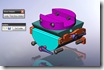
Isolate-show-hidden Here is a quick little video tip for you.  You can combine the Isolate command with the Show Hidden Components command.  This powerful combination gives you more ability to select components for view directly in the graphics window without having to search through the FeatureManager Design Tree.

The Show Hidden Components command is new in SolidWorks 2008.  It toggles the display in the graphics window to temporarily show all components that are currently set to a Hide status.  You can toggle the components back to a Show status by simply left clicking on each component you wish to show once you exit the command.  It works very similar to the Isolate command (which is one of my all time favorite additions to the software.)  Isolate allows you to temporarily view components selected by themselves when the command is invoked.  Both commands are exited by on-screen dialog boxes.

Click HERE for a Video Demonstration.

Here’s one last tip for you.  Don’t be afraid to Mate components while the Isolate command is ACTIVE.

Stay tuned….more to come!

3dvia Shape

3dviashape1It’s time now for the third installment of my series of reviews on 3dvia.  In case you missed it, make sure you check out my first and second reviews.

This review will focus on 3dvia Shape which is one of several software applications that are part of the 3dvia site.  When you see 3dvia Shape in action (video on the 3dvia Shape page) it definitely reminds you of Google SketchUp.  I am by no means an expert user at either piece of software and will not go into the details of the differences between the two, but I think it is pretty obvious they use similar methods to construct geometry in their workspaces.

3dviashape2 3dvia Shape is a FREE application that is available for download.  The client software does require a connection to the 3dvia site.  You are asked for a user name and password as soon as the application opens.  As far as I could tell it is required since closing the login window ends the application before it even starts.  Once you log in you are presented with an application window offering a "5 minute" tutorial building a house.  The tutorial does a good job of getting you familiar the functions of the software.  If you download 3dvia Shape, I definitely recommend checking it out. 

The user interface of 3dvia Shape is visually very appealing.  The name of each feature appears when your mouse hovers over most of the toolbar buttons.  Also included is a "tips" section at the top of the screen which shows useful information based on the stages of construction the user is at. 

3dviashape3 Basic geometry can be created either using rectangles, circles, arcs, or lines.  You can sketch on the "floor" plane or planar faces of your existing model.  Dimensions, which can be set to both Metric and US, are automatically displayed while you are manipulating the geometry but disappear once movement stops.  Shapes are "extruded" or "cut" by using the "Push n Pull" tool.   The Manipulate tool allows you to grab model or sketch faces, vertices, and edges for movement.  "Triads" appear when this tool is activated which help control the direction of each movement.  Without the use of these controls, a shape can quickly move in unintended directions.  3dvia Shape also includes a fairly extensive amount of textures available via the "Paint" tool so you can make your models look more realistic. 

3dviashape4 There is no "Save" button in 3dvia Shape.  Instead there is a publish button which stores your model on the 3dvia web site under "My 3dvia".  Models stored there are listed as "private" unless you choose to share it.  If you do not wish to publish a model but would like to save it locally you can close the software and select the "Later" option in the dialog box that appears prior to the software closing.  The model will be available for opening the next time you start the software. 

3dvia Shape is a probably a good tool for someone who has never used 3D modeling software in the past.  Experienced 3D CAD users (particularly those used to parametric modeling) might find it a bit frustrating due to the different modeling methods required to create some shapes and the limited tools to make precise changes.  Overall I found that the tools did exactly what they were supposed to do and could see how many 3dvia users have been able to create some very impressive models.  This application does seem to be geared more towards creating architectural structures but a quick look at the 3dvia Library shows many non-architectural models that users have created. 

As a free tool 3dvia Shape certainly delivers on putting the power of 3D in the hands of more users.  

SolidWorks Community Survey

SolidWorks has released a Community Survey to better gauge what users are after when accessing and participating in online communities.  The survey is a bit long but I highly recommend that you check it out if you participate in online forums, user groups, the Customer Portal, 3D Content Central, Blogs, or SolidWorks Labs.

The timing of this survey is interesting to me as I have recently become a member of Facebook.  I have been impressed at how Facebook allows you to network with people who share common interests and feel that maybe the SolidWorks Community could benefit from a similar approach.  Combine something like this with perhaps the SolidWorks Forum, Customer Portal, Blog feeds, 3DCC, and SolidWorks Labs and you could have a one stop site that offers many benefits to SolidWorks users.

If you have a few moments….make sure you check out the survey.  There is supposed to be a follow up survey in a couple of weeks.