
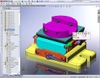
Here is a great little tip-off for those of you using SolidWorks 2008. With previous versions of SolidWorks, you may constantly find yourself venturing from the graphics area towards the Assembly Toolbar or CommandManager everytime you wanted to add a mate to a component in your assembly. The Edit/Add Mates command is available in the Right Mouse Button Menu but is hidden by default. On top of that, it seems to be “buried” in the list and is not easily found mostly due to the lack of an icon next to the command.
 In SolidWorks 2008, the Mate command is included in the Context Toolbar that pops up anytime you left click on a model entity in the graphics area or item in the FeatureManager design tree. It also shows up as part of the Right Mouse Button menu. The “paperclip” icon has now been incorporated so that you can find it easier. Maybe it’s just me, but this is one of the little things that I really like when working on assemblies in 2008! If you haven’t tried this yet, test it for yourself! In the image shown in this post, the cylindrical face of the bolt is selected which brings up the Context Toolbar. If you select the Mate Command from there, the face that was selected to bring up the toolbar is already in the selection group box in the PropertyManager for the Mate This is a very nice workflow which I believe improves speed when mating components in an assembly.
Stay tuned….more to come!