
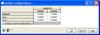
Enhancements to Configurations don’t often get much press when it comes to new releases, so I thought I would highlight two new features of SolidWorks 2008 in the area of Configuration functionality. I’ll include a brief description of both, but as they say, seeing is believing, so I have included a link to a video demonstration at the end of the article showing the new features.
 Modify Configurations is a handy new feature in part files that allows you to quickly modify dimensions of sketches and features along with suppression status across multiple configurations all at once. It also lets you create new configurations “on the fly”. The interface is in the form of a pop-up table that can be called up in part files by right clicking on a feature or dimension. This is handy for adding configurations and differences in parameters without having to create a Design Table. Modify Configurations can also be utilized in assemblies to control suppress status, part configurations, and dimensions of assembly features/mates. Active configurations in parts and assemblies can be changed within this table as well.

 The second of the above mentioned major enhancements is the introduction of the Create PropertyManager feature which is available in part documents. If you have parts with more than one configuration, you can use this function to create a “menu” of sorts that will appear when that part is inserted into an assembly. This is very similar to the behavior you see when you insert Toolbox parts. You can use multiple model parameters to select the configuration rather than having to remember configuration names.
 There are also a few other additions to configurations. The configuration selector in the Modify dialog now has a new look. The Design Table feature now appears in the ConfigurationManager. Last, but certainly not least, Hole Wizard Holes can now be configured! (FINALLY!)
Click HERE to see and video demonstration of some of the features outlined above.
Stay tuned…..more to come!