
SolidWorks 2010:  Awesome Tables!
Sun, 02/21/10 – 11:55 PM | Comments

Sometimes when testing newer versions of Software you discover some “unreported” enhancements that really can be a time saver.  That type of enhancement is the source of this post, but first we’ll take an overall …

Read the full story »
SolidWorks News

SolidWorks Reviews

SolidWorks Tips

SolidWorks Video Tips

SolidWorks World

Home » SolidWorks Tips, SolidWorks Video Tips

SolidWorks Tip: Sketch Slot

Submitted by Ricky Jordan on Monday, April 2, 2007Comments

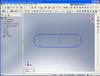
SketchovalComments left on Blogs can definitely drive content.  Here is one example.  A comment left by Tyler last week on one of my other Blog postings got me thinking a bit.  Tyler’s question dealt with creating an “oval” or “slot” shape that consists of two arcs and two lines that are tangent to each arc.  Although drawing a shape like this may come easy for most “seasoned” SolidWorks users, it may not be so simple for some users just starting out. (Tyler’s question wasn’t dealing with how to draw it, just how to combine the entities.) This tip is for the newer users.

Sketching a slot shape in the SolidWorks sketcher can be accomplished with several different sketch methods. I’ve picked out three to demonstrate in the video linked below. The key with each method shown is the four tangency relations.  This ensures that your design intent is maintained in the event the slot is positioned in a non-vertical or non-horizontal manner.

The first method is the more traditional “sketch and trim” method where you start by sketching two complete circles and two lines. The second method shown highlights the Autotransitioning method of sketching in the line tool. (You may not have heard about this one unless you took a SolidWorks Training class.) The third method shown uses the offset command to build the shape.

Click here to see the video.

Stay tuned….more to come!

Share and Enjoy:
  • StumbleUpon
  • Digg
  • Technorati
  • del.icio.us
  • Facebook
  • LinkedIn
  • email
  • Google Bookmarks
  • FriendFeed

Related posts:

  1. SolidWorks 2010: Hole Wizard! It’s been a while since I have had a...
  2. SolidWorks Electrical Routing – Part 2 Most users of SolidWorks Electrical Routing use the product to...

Related posts brought to you by Yet Another Related Posts Plugin.

  • Greg Fox
    Nice tips. I tend to use centerlines between circles or arcs. Though I often times have to double check for tangency.

    well that is one of the many failings of the sketch tools compared to many 2D systems. there is no reason not to have a simple slot tool. though I am guessing that there may be some underlying issue that make it difficult to incorporate, much like not having polygons that stay linked or have centers. I make lots of slots, and really miss the tools in Vectorworks and old Mac Paint and Claris cad that had rectangle with radiused edges and slot tools. (and that is 15 years old).
  • Matt,

    The Slot is already in the Design Library with an Excel spreadsheet of different sizes. All you have to do is drag it from the Library and select the size you want. Adding more sizes to the table is easy to do.

    www.SheetMetalGuy.com
  • Excellent tip Josh.

    I still feel like library features are under-utilized overall. Maybe a blog article talking about the advantages of library feature/Design Library usage will find it's way to this blog soon. :-)

    Keep the comments coming!

    Best Regards,

    Ricky Jordan
    http://www.rickyjordan.com
  • just one other way I can think of, especially if you are using slots a lot is creating a Library feature. if set up correctly, by leaving out horizontal and vertical relations, you'll be able to drop it onto a part face oriented however you need it.
  • Nice addition Matt! I didn't think about including that one!

    This is one of the things that I really like about blogging. Blog articles can be enhanced with comments containing more excellent content!

    If anyone else knows of any others we've missed, feel free to post more comments!

    Best Regards,

    Ricky Jordan
    http://www.rickyjordan.com
  • Cool stuff! I especially like the offset one.

    http://www.cadjunky.com/index.php/main/video/show?id=4125165

    Another method using a macro to draw a centered rectangle, and adding tangent arcs to the ends, as well as a twist on the offset idea.
blog comments powered by Disqus