
When SolidWorks 2006 came out last year, one of the coolest new features was without a doubt the addition of Sketch Blocks. For me, the only disappointing part of this new feature set was that it couldn’t be utilized in Drawings. With the introduction of SolidWorks 2007, all of the Sketch Block functionality now works in Drawings.
When you open a Drawing, the first thing you notice is that the Blocks Toolbar is active. Now that all of the Sketch Block functions work in Drawings, Blocks can be created and edited in a much more efficient manner. To me, the most important capability that comes with the Sketch Block functions is the ability to assign relations to entities (lines, arcs, circles, etc.) contained within a block. This opens up many possibilities, a few of which I will discuss. Another important carry over from Sketch Blocks is the ability to create Nested Blocks. (Blocks within Blocks.)
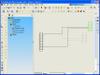
 One of the things that has been challenging in the past with SolidWorks Drawings has been its ability to create electrical schematics. In our company, many of the final schematic drawings for overall product wiring fall within the responsibility of the Mechanical Engineering/Design Group. In past versions of SolidWorks, drawings would tend to slow down as more entities are added to complete a schematic. The use of block instances helped, but could sometimes be frustrating when moving items around since no relations could be assigned to entities contained within blocks. You would tend to use the move command quite a bit rather than just a “click and drag”. Now that relations can be assigned to entities within a block, connection lines between connectors will automatically update if one or both of the connectors is moved. The new SolidWorks 2007 “ghost lines” that show the original position of geometry during entity movements in sketching, also works in Drawings.
Obviously, this is just ONE example of how this new functionality can be utilized. There are many other applications, methods, and drawing types that this will come in handy for.
 There are a few differences between Drawing Blocks and Sketch Blocks. The display of dimensions contained within a Drawing Block can be controlled and the display scale of the dimensions can be adjusted independent of the Block scale. Also, Drawing Blocks are displayed only one time in the FeatureManager folder vs. a display for each instance in Sketch Blocks.
The additions to Drawing Blocks I’m sure will be a welcome enhancement for many users. Check it out and I think you will agree!