
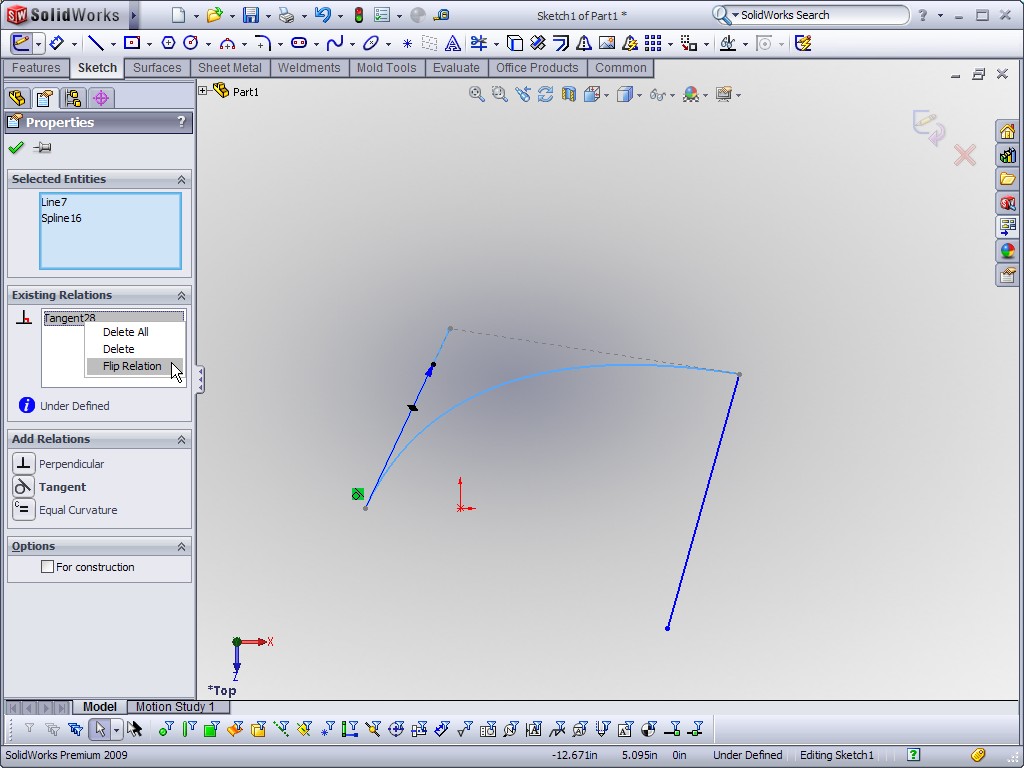
This SolidWorks Video Tip shows off an option that is easy to miss when applying Tangent Relations between Splines and Lines. If you right click on a Tangent Relation between a line and a spline, you have the option to flip the direction of Tangency via the “Flip Relation” option. As the video will show, this option can also be applied to Equal Curvature relations between lines and splines. The image below shows the “Flip Relation” option.
This is the first video tip I have produced that includes VOICE. I ask you to bear with me on this as my microphone and Camtasia settings still need a little tweaking. Towards the end of the video the voice gets a little ahead of the video. Click on the link below to watch the video.

Stay tuned….more to come!