Well, one of the reasons you haven’t heard much from me the past week was due to my preparations for our upgrade to SolidWorks 2008 at Dynetics. Every year I try to pick a time where we are wrapping up some major projects and have had ample time to test the software prior to implementation. This year that time was last week. In addition to upgrading SolidWorks, we are also implementing a dedicated server for PDMWorks.
Last year I detailed my Upgrade Recommendations which I pretty much followed to the tee again this year. There were some differences in the way the Installation Manager handles the upgrades. Most of the differences had more to do with the order of the information that is entered as you go through the installation screens. One thing that caught my eye as different was an option to install a service pack as a separate version. For example, if you were currently at SP 0.0, according to the menus, you could install SP 1.1 as a separate installation. I’m not quite sure if I will ever use this but the appearance of this option is intriguing to say the least. All in all, the upgrade process itself went off pretty much picture perfect.
Today was our first day on SW2008 and things went very smoothly. All communications to our PDMWorks Vault were perfect and the systems were stable with exception to one crash which was not reproducible. One interesting effect of our upgrade seems to be some possible improvements in importing neutral CAD data. One particular .STEP file that was opened in SW2007 on Friday with errors opened perfectly in SW2008 with no errors! (I’ll have to look into this a bit more.) If this is the case, then it wouldn’t be the first time this has happened. I have documented some pretty substantial improvements in this area between SolidWorks 2006 and 2007.
If you are getting ready to upgrade, make sure you plan well. My upgrade preparations have worked very well for us for the last several years, so check them out. I’ll post again in two weeks and let you know how everything is going. I’d like to hear how YOUR upgrade is going.
One might think it would be easy to pick out a mouse for use with SolidWorks, but when it comes to me, I hasn’t been for quite some time. For the last couple of years, I have had to sacrifice comfort for function.
My first “favorite” mouse was the Intellimouse Explorer 3.0. I got my first one back in 2001. I immediately took advantage of the two side buttons on the upper left by programmed them to perform Copy and Paste functions. (Just take a minute and ask yourself how often you use those functions in Windows.) Still to this day I think this is one of the best pieces of hardware Microsoft has built.
In early 2004 I went to buy a new mouse and to my surprise the Intellimouse Explorer had been redesigned. This was the version that introduced the “tilt-wheel”. I decided to give it a shot, but at the same time was a bit anxious about the tilt-wheel. My fears were not unfound I discovered later that day. Everytime I tried to use the wheel as a middle button, the cursed thing would end up tilting to the left or right. I kept it for about a day before taking it back cursing the entire way.
After what seemed like 30 minutes testing out mice on the showroom floor at CompUSA, I came across the Logitech MX500. This one had the side buttons for my Copy and Paste and had a really comfortable feel to it, so I bought it. I discovered the next day that there was one tiny sticking point. Instead of it being with the hardware itself, it was software related. For some reason, my Copy/Paste buttons wouldn’t work right in SolidWorks. It would work correctly for text selections, but not SolidWorks features and sketches. SolidWorks and Logitech each said it was the other’s issue that was causing it. I liked the mouse well enough I decided to keep it anyway. Overall it was a very good mouse and was used solid for 3 years until it recently started turning single-clicks to double-clicks.
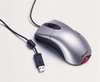
So there I was…back at CompUSA testing one mouse after another. One thing I realized quick was that there are now more cordless mice than corded mice. I just don’t have the need for a cordless mouse. Especially since this one stays at my desk all the time. I happened across a Logitech MX400 that had the side buttons and a REALLY comfortable feel, so I gave it a shot. (It does have a tilt wheel, but it isn’t housed in a carriage assembly AND you can disable them!) To my delight, Logitech had implemented a new mouse software called SetPoint with this mouse. FINALLY, my Copy and Paste buttons are working like a champ in SolidWorks! To top it all off the mouse retails for a very respectable $39.99. Here is a picture of the MX400 Performance Laser Mouse.

So what is your favorite mouse for SolidWorks?