Entries from January 2008 ↓

SolidWorks World 2008: Wednesday General Session – Quick Review

Wednesday’s general session is considered by many to be the most highly anticipated session of the conference.  This mostly stems from the fact that this is the day we all get a preview of the next version of SolidWorks.  This first post will hit the quick highlights.  Later I will post a Detailed Review which will go into much more depth.

Here are the quick highlights:

  • Segway inventor Dean Kamen gave a speech discussion the FIRST Robotics competition.
  • The Top Ten Enhancments were announced by some of the SolidWorks User Group Leaders.  The most requested enhancement was more support for dual monitors.
  • The Design Contest Winners were announced.  Clearly the most amazing part of the announcements was a Rubics Cube model put together by a high school.  That school placed third in the Animation contest.

The SolidWorks 2009 features were shown off using a “therapy session” skit.  I’ll have much more on that later.  Here is a quick list of some of the enhancements shown for SolidWorks 2009.

  • SpeedPak Technology to aide Large Assembly Performance.
  • Slot tools in sketches.
  • Instant Dimensioning of sketch entities as you draw them.
  • Addition of a Stretch Entities command to the Sketch tools (VERY NICE!!)
  • Negative dimensions in sketches.
  • Ability to build sheetmetal part “on top” of a solid model!
  • Plastics Design options that automatically take care of feature order in the tree as you add them.  One example would be to add a Cut-Extrude feature on a part and having SolidWorks automatically move the feature previous to a Shell operation along with applying the proper draft.  (More to come on this later.)
  • Creation of Bill of Materials in the Assembly!
  • Propagate Assembly Features down into part files.
  • Sensors that can be placed in a model which warn the user of defined conditions.
  • New Heads up display for sizing Toolbox parts
  • Dynamically change Toolbox fastener lengths with Instant3D by dragging the length.
  • Magnifying Glass to see details of a model view without zooming in.
  • Click on the triad to orient the view.
  • Measure tools wills show both inch and metric units.
  • COSMOSWorks bolt sizing validation.
  • Ribbon Cables in Electrical  Routing.
  • More jog options in Drawings.
  • Title Block Wizard in Drawings.

That is all for now.  I’ll post the Detailed Review soon!

Stay tuned….more to come!

SolidWorks World 2008: Tuesday

Day 2 of SolidWorks World 2008 is coming to a close.  The general session featured presentations by Dr. Don Norman and Dr. Bob Ballard.  As an admitted Discovery channel geek, I particularly enjoyed Dr. Ballard’s presentation.  Dr. Ballard spoke of how advancements in technology have changed deep sea exploration.  Gone are the days where all of the exploration monitoring equipment has to be at the dive site.  While the support ship and robot divers remain at the site, the scientific data collected by the remote subs is analyzed real-time in a lab on shore.

At the end of the general session, SolidWorks announced a new website featuring SolidWorks Videos for your iPod.  In an effort to get the site going, SolidWorks announced that EVERY ATTENDEE at this year’s conference will receive a FREE 4GB iPod Nano!  This is by far one of the coolest giveaways I have seen at ANY conference.  All of the iPod Nanos come preloaded with SolidWorks photos and videos.  Once the session ended, people were literally sprinting from the door towards the registration area where the units were being handed out.  I got my iPod a little later on in the day.  I am VERY impressed with this device.  I can see now why Apple has sold so many of them.  The video display is absolutely amazing!

Next up for me was the Stump the Chump session.  If you haven’t heard about this session yet, a panel of SolidWorks power users were placed in front of the crowd (firing squad) to answer questions related to SolidWorks products.  The panel consisted of Jeff Mirisola, Matt Lombard, Ben Eadie, Josh Mings, Lenny Kikstra, Lou Gallo, and yours truly!  Overall, I think the session was a success.  It did get rather hectic at times where we were working to answer questions while trying to take new ones.  The crowd did a great job in coming up with questions.  We learned quite a bit and will certainly be applying it to another session next year.  Two 3DConnexion products were given away along with some igetit training passes.  Click here to see Mike Puckett’s post on this session which includes some pictures.  Speaking of Mike, he interviewed Autodesk Technical Evangelist Lynn Allen today.  Lynn was here with a few other Autodesk employees checking out SolidWorks World.

In the afternoon all of the SolidWorks User Group Leaders got together for a meeting.  This is always a great session to share ideas amongst the many group leaders from around the globe.

Tonight there was a block party in the historic Gaslamp District which is just a few blocks away from the Convention Center.  There was food and beverages (of all kind) EVERYWHERE.  A good time was certainly had by all!  (We still have an APB out on Matt Lombard.)

Tomorrow marks the final day of the conference.  The morning general session will feature a sneak peek of SolidWorks 2009.  It’s like Christmas all over again!

Stay tuned…..more to come!

SolidWorks World 2008: Monday PM

SolidWorks World 2008 is in full swing as the break out sessions began directly after the morning general session.  First up for me was an interview with Rick Chin of SolidWorks Corporation.  I’ll have more on that interview later on.  Next up was an hour long session working in the SWUGN booth in the Partner Pavilion.  Those of you that read this Blog regularly know that I am a User Group Leader for NASWUG, so getting to talk about SolidWorks Users Groups is one of the things I enjoy the most.

After lunch with some of the members of the Blog Squad, I attended a session on Concept Blockbusting that was given by David Adam.  I was impressed with the surface and solid modeling methods that David utilizes to quickly generate concept designs.

Next up was the Hybrid Modeling session with Matt Lombard.  It was a given that I would get to see some useful modeling techniques, but also Matt ALWAYS puts on a good show for attendees.  Matt may be missing out on a possible career as a comedian.  I lost count of the laughs he got from the crowd while showing off some impressive techniques in working with both solids and surfaces.  Matt showed off a cool technique of splitting faces with multiple contours by using surfaces that intersect a face with a Split Line command set to the Intersection option.  I’m sure Matt will be posting his presentation soon.  I’ll be sure to link it here when he does.  Mike Puckett has posted some pictures of Matt’s session HERE.

UPDATED: You can download Matt’s presentation by clicking HERE.

At the end of the session I got to speak with Mike J. Wilson for a few minutes.  I hadn’t seen Mike since SolidWorks World 2003.  It was great to see him at SolidWorks World once again.  For those of you who haven’t had the pleasure of visiting his site, CLICK HERE.  (The ScoobyWorks model is still one of my favorites Mike!)

Jeffray_usergroup_2Next up was the 9th Annual SWUGN Summit.  This is by far one of my favorite events every year.  Richard Doyle delivered a GREAT presentation as usual.  His energetic enthusiasm is unmatched in ANY CAD Community.  Richard reported that there are now 128 SolidWorks and COSMOS user groups worldwide.  Marie Planchard made a quick appearance thanking the User Groups for the CSWA initiative earlier this year.  SolidWorks CEO Jeff Ray also made an appearance thanking the User Group Leaders and User Group members for their support in 2007.  Rick Lando of 3DConnexion accepted the Partner Product company of the year award for the third year in a row!  Congratulations Rick!  It is WELL deserved!

Pressdinner08Tonight was the annual Press Dinner at the San Diego Wine and Culinary Center.  I got to meet many members of the press whom I have read about for years.  Among those I got to meet for the first time was Randall Newton of AECNews.  I also had the privilege of meeting Dr. Joel Orr of Cyon Research.  Dr. Orr and I got to spend some time talking about many topics related to the CAD Industry which I thoroughly enjoyed.  A big thanks goes out to Laura Kozikowski, Nancy Buchino, & Darby Johnson for putting on a great event!

That’s all for now……Stay tuned…..more to come!

SolidWorks World 2008: Monday General Session

DannyforsterThe surprise guest of SolidWorks World 2008 was revealed this morning and it was none other than Danny Forster of Discovery Channel’s Build it Bigger TV show.  Danny discussed the aspects of Engineering & Design in the architecture industry.  He also outlined many different design features of the new Arizona Cardinals football stadium which features a retractable field.  Other topics discussed included the Shanghi Financial Center and the assembly line construction of homes in Mississippi that were both economical and strong enough for Hurricane Force winds.

Hpim1544_5I was lucky enough to catch up with Danny at the press conference after the session and get a picture with him.  Build it Bigger just happens to be one of the shows I watch quite often on the Discovery channel.  If you haven’t had a chance to yet, check it out.

There is of course more to report from the general session.  This year’s attendance was announced at just over 4500 total.  As I had reported yesterday from the press conferences, an high emphasis on performance and reliability are part of the development effort right now at SolidWorks.  Also mentioned for the first time was that there will be more participation from the engineers in the R&D departments of SolidWorks on the SolidWorks Discussion Forum.

3Dvia Composer was announced to the attendees.  This is the product formally named Seemage.  I will have more on that product later.

Several innovative products designed in SolidWorks were announced which included
Still River Systems – Proton Therapy
Big Belly Solar – Big Belly Trash Can
Revell – VEXsplorer – (RC Robot that comes with a seat of SolidWorks Student Edition!)

Well, that is all for now.  Stay tuned….more to come!

SolidWorks World 2008: Sunday

Press Day at SolidWorks World has now come and gone.  This morning Jeff Ray kicked off the series of events by welcoming the press.  Marie Planchard was up next to give updates on the SolidWorks Education Effort.  I ended up missing parts of the first sessions as I was attending a Focus Group on Advanced Surfacing in SolidWorks.  You can check out Mike Puckett’s highlights of this session HERE.

Focus groups are a great way to pass along your thoughts on the current status of SolidWorks features directly to SolidWorks employees.  The most interesting thing about these sessions is hearing how other users use the software and what challenges they face on a daily basis.

The afternoon session started out with Jon Hirschtick giving a History of CAD presentation.  The presentation outlined the evolution of CAD in the last 50 years.  One of the most interesting topics discussed was Ivan Sutherland’s 1963 PhD thesis on a product called Sketchpad.  It is considered by many to be the first modern CAD program.

The next session was a panel discussion that featured representatives from SolidWorks management in the area of R&D.  Austin O’Malley, Jim Wilkinson, Scott Harris, Paul Chastell, & Brian Harrison made up the panel with Cholly Nachman moderating the questions.  Improvements in the performance and quality of the software were mentioned as the major goals for the development of SolidWorks 2009.  Focus on the improvement of software documentation was also mentioned during the discussion.  We will find out more details of what is coming in SolidWorks 2009 in Wednesday’s general session.

By late evening the crowd was really beginning to gather as the welcome reception was set to begin.  As the crowd began to funnel into the Partner Pavilion attendees were introduced to a massive combination of product displays and partner product demonstrations.  I’ll report more on some of the products being shown as the conference continues.

Tomorrow morning is the official kick-off of the conference.  Stay tuned for more updates from San Diego!

SolidWorks World 2008: Saturday

Well, the first day for me at SolidWorks World has come and gone.  I guess I can’t really call this Day 1 since that is really supposed to be Monday.  More and more folks are starting to arrive.  It’s great to see some familiar faces from last year in New Orleans as well as some new ones!  If you participate in any of the online discussion forums, it’s always fun to peg someone in the crowd with the “I know you from the forum!” line after reading their name on their conference badge.

All the members of the Blog Squad who are attending SolidWorks World this year got together at the Hard Rock Cafe last night.  It’s always good to catch up with my Blogging buddies whom many of them I only see once a year.  Also in attendance were many of the SolidWorks employees that we commonly interact with.  Jon Hirschtick (SolidWorks Founder), Greg Jankowski (SolidWorks for Dummies author), and Cholly Nachman (SolidWorks Developer) also dropped in for a surprise visit.  Mike Puckett took some pictures and has them posted on his Blog.

Stay tuned….more “geekin” from San Diego to come!

SolidWorks World 2008: Finally in San Diego!

After almost 8 hours of airline joy, I am finally in San Diego, CA!  The weather here (in the 50’s) is definitely an improvement from home (Huntsville, AL) as snow showers were expected tonight and tomorrow.  Yes, it DOES snow in Alabama!  Here is proof! (Taken just two days ago.)

Here lately it seems like every time I get ready to take a trip, something at the office requires my attention at the last minute.  Today was no exception to that.  After some scrambling this morning on an “Emergency Project”, everything is under control and in the very capable hands of my new “Super-Apprentice”.  (Thanks Blake!)

Now….back to the conference.  Needless to say you should stay tuned here and with the rest of the Blog Squad for latest on all happenings at SolidWorks World 2008.  It seems like every year my schedule gets more hectic and this year is no exception.  Tomorrow will consist of meetings all day for me.  (Some of which I can’t talk about just yet.)  I’m also looking forward to dinner tomorrow night with all the members of the Blog Squad in attendance at the conference this year.  (I’m already feeling sorry for anyone sitting close to us…..we can be a pretty loud bunch.)

Sunday consists of some press events, focus group meetings, and the opening of the Partner Pavilion.

Monday is the official start of the conference.

Stay tuned….much more to come from San Diego!

SolidWorks Tip: Connectors Anyone??

ConnectorsHere is a quick little video tip on connectors which can be found in Boundary Surfaces, Sweeps, and Lofts.  Most users that utilize these features often are aware of the connector options available which can help you shape the surface (in particular the UV flow).

This tip shows how to utilize a single surface edge for multiple profiles in a Boundary Surface without having to create construction sketches.  With the technique shown, you can also set limits for the use of connectors on edges.  The model example is pretty simple since the part I used this tip on recently cannot be shown publicly.

CLICK HERE TO ACCESS THE VIDEO TIP.

Stay tuned, MUCH more to come!!

SolidWorks Tip: Context Toolbar in Sketches
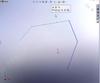
SolidWorks 2008 brought about many changes in the user interface.  One of the additions to the UI that has spurred some comments from users (both positive and negative) has been the Context Toolbar.  The Context Toolbar appears when you right click OR left click on certain entities within the software.  (The right click options consists of the Context Toolbar in combination with the “normal” right click menu.)  It is context sensitive in that the tools available in the toolbar depend entirely upon what type of entity you select.  One of the disappointments with this toolbar is that you cannot customize it.  I will say though that SolidWorks did a good job of picking the features to be included.

Context_toolbar_sketchThe left click Context Toolbar is one that has seen some Cheers and Jeers in some of the online discussion forums.  It took me a little time to get used to it at first, but I am finding myself using it quite often now.  One of the really great applications of this Context Toolbar occurs when you are adding Relations to sketch entities.  I have devised 3 different instance behaviors to show today.  You will want to view the video to fully understand the descriptions of each instance below.

  1. Ctrl selection of individual entities does popup the Context Toolbar but only AFTER you release the Ctrl key.  I did find a few instances where I released the Ctrl key too quickly and the Context Toolbar did not appear.  (Refer to the trick described in #3 below on how to get the Context Toolbar back up.)
  2. Window selection to the left (selects all entities touching the window) immediately pops up the Context Toolbar without the user having to wait on anything.  This is the method I use most often when possible!
  3. When using Ctrl selection in a similar method as #1, the Context Toolbar will disappear if you move too far away from the selected entities.  You CAN bring it back by moving the cursor back to close proximity of the selected entities then push the Ctrl key one time.  This trick does work for #2 as well but it seems that the required position of your cursor for the toolbar to appear is a little unpredictable.  If your cursor isn’t close enough to the entities you will see the Context Toolbar flash on/off quickly on the screen.  This gives you an idea on where your cursor needs to be.

In case you missed the first link, HERE IS A VIDEO that demonstrates the instance behaviors.

Stay tuned….more to come!

FREE SolidWorks World Exhibit Hall Only Passes

Here is your chance to experience PART of SolidWorks World this year for FREE! If you register with this code, SWEX08119, you will receive a complementary Exhibit Hall Only pass ($199 value).

This pass will allow you admittance into the General Session and Exhibit Hall only. That is still QUITE A DEAL!!

See you in San Diego!