
-
SolidWorks Tip: Save As Part
Just because a feature has been in SolidWorks for quite some time doesn’t necessarily mean that it is well known throughout the user community. One great example of this is the Save As Part feature. I’ve found quite a few users over the last few years that were unaware of this handy feature and the…
-
SolidWorks 2007: ScanTo3D Part 2
In Part 1 of my review of ScanTo3D, we covered importing point cloud data and converting that data into mesh data using the Mesh Preparation Wizard. In this second installment we will take a look at some surface creation functionality that is also part of the ScanTo3D product. Once you have existing mesh data, you…
-
SolidWorks 2007: ScanTo3D Part 1
From time to time, SolidWorks seems to have a knack for pulling off a real surprise with the introduction of a particular feature or product add-in. The addition of ScanTo3D was to me another great new feature that seemed to come from no where. ScanTo3D is a new add-in available in SolidWorks Office Premium 2007…
-
SolidWorks Tip: Delete Face
One of my favorite tools in SolidWorks is the Delete Face command. It probably has too many uses for me to list them all here but what I use them for mainly is surface reconstruction in SolidWorks native files and feature removal in imported files (files with NO feature tree). In this tip, I wanted…
-
SolidWorks Tip: Chamfer Feature
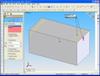
If you have ever tried to add a Chamfer Feature to multiple edges of a part in SolidWorks, this tip might just be for you. Unlike Fillets which seem to be more commonly used, Chamfers can turn out quite different depending on the direction set in the Chamfer parameters. Edges, Vertices, and Faces can be…
-
SolidWorks Tip: Area/Hatch
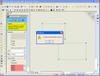
There are a few things that I discovered recently about the Area/Hatch command in Drawings that I thought I would share. There are a couple of different ways to apply hatches. How you select the area can effect the options you will have in applying the hatch. There are two options in applying hatches, the…